This post is part of a series, adapted from emails sent to owners of outdoor centres across the UK who kindly provided advice and input as Swellbase was developed.
Quick update on what's been happening at Swellbase over the past 2 weeks. I set myself a big goal for this sprint and I'm pretty chuffed with how much progress has been made so far 🚀
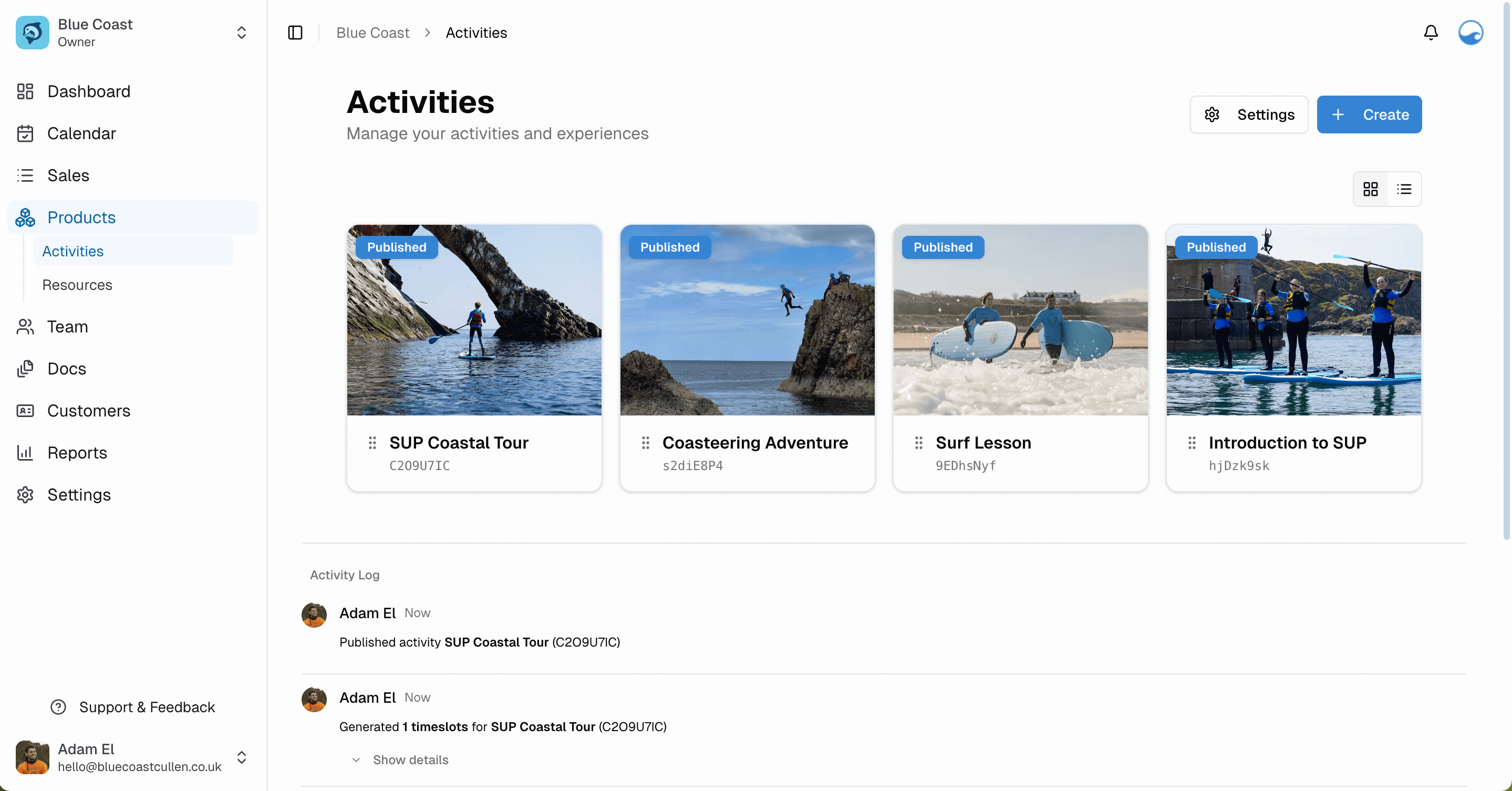
Activity management
You can now create, edit, duplicate and organise your activities with drag-and-drop reordering and filtering. Activities can be drafted, published, or archived and timeslots can be scheduled straight from the create flow.
Media uploads are built in with automatic compression, so no need to resize photos before adding them. We've also sorted locations and custom ticket types (Adult / Child / Family etc).
🎯 What it means for you: This is one of the most important internal flows, and I've focused on the goal of being "simple but powerful". You get the fine control when you need it while staying easy to understand and use.
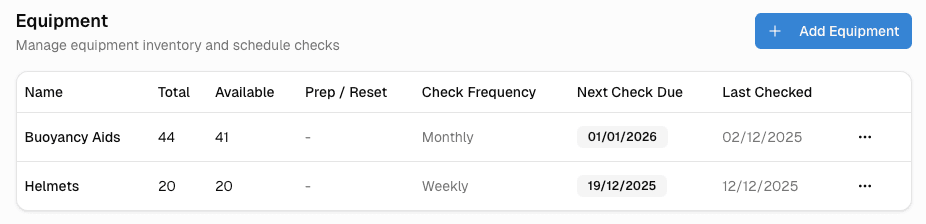
Equipment checks
This was mentioned by quite a few of you in our chats - and some of you are using software like Papertrail and Gearlog already to keep track of equipment and checks.
Swellbase isn't going to be as full-featured for asset management as something like Papertrail which is specifically for that, but Papertrail is probably overkill / expensive for a lot of outdoor centre use cases anyway.
It made sense to add this in while I was building equipment as a resource, and now we'll have equipment inspections with a clear audit trail from day 1.
🎯 What it means for you: If you're currently using spreadsheets to keep track of your kit, you'll be able to do it in one place, where it makes sense. If you take a piece of equipment out of circulation for maintenance, that will immediately update the available equipment resources linked to activities.
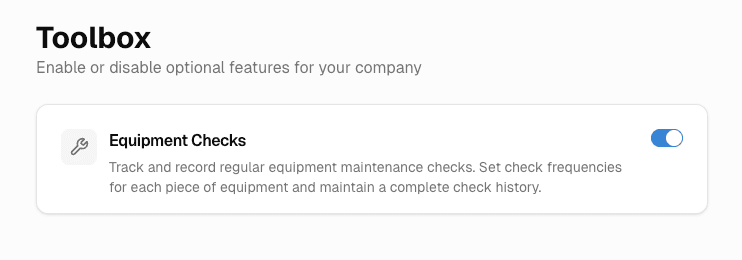
Toolbox
I'm building in modularity from the start. Swellbase aims to be a very specific solution for outdoor centre use cases, but I know everyone works a bit differently and won't need every single feature.
Where it makes sense, I'm making features toggleable on/off so that you can have an experience tailored to how you work.
🎯 What it means for you: A system that fits how you work, not the other way around
Thanks to everyone who replied to my question about user roles, it was really useful to get your perspectives. If you didn't get a chance, no worries at all – I'm always happy to hear your thoughts whenever suits.
There were a range of different answers but ultimately highlighted that flexibility would be useful here to cover different cases.
I ended up building a complete role-based access control system in the backend of the application - this means granular control and custom roles will be available in the future without needing a massive rewrite of the system! For now, 3 default roles are created on signup (Owner, Manager, Instructor) 👌
What's next
Lots more in the pipeline - but the next goal is to get the first version of the customer-facing booking flow live before Christmas. In the next update (in the new year) I'll be able to share a link where you can test the flow yourself.
I've seen this done very well and very poorly across the different booking systems out there - it's super important this is done right as this is what keeps the bookings coming in!